MA IT Tech

Complete Yealink Product Guide: Smarter Communication, Collaboration and Connected Workspaces

Complete Yealink Product Guide: Smarter Communication, Collaboration and Connected Workspaces

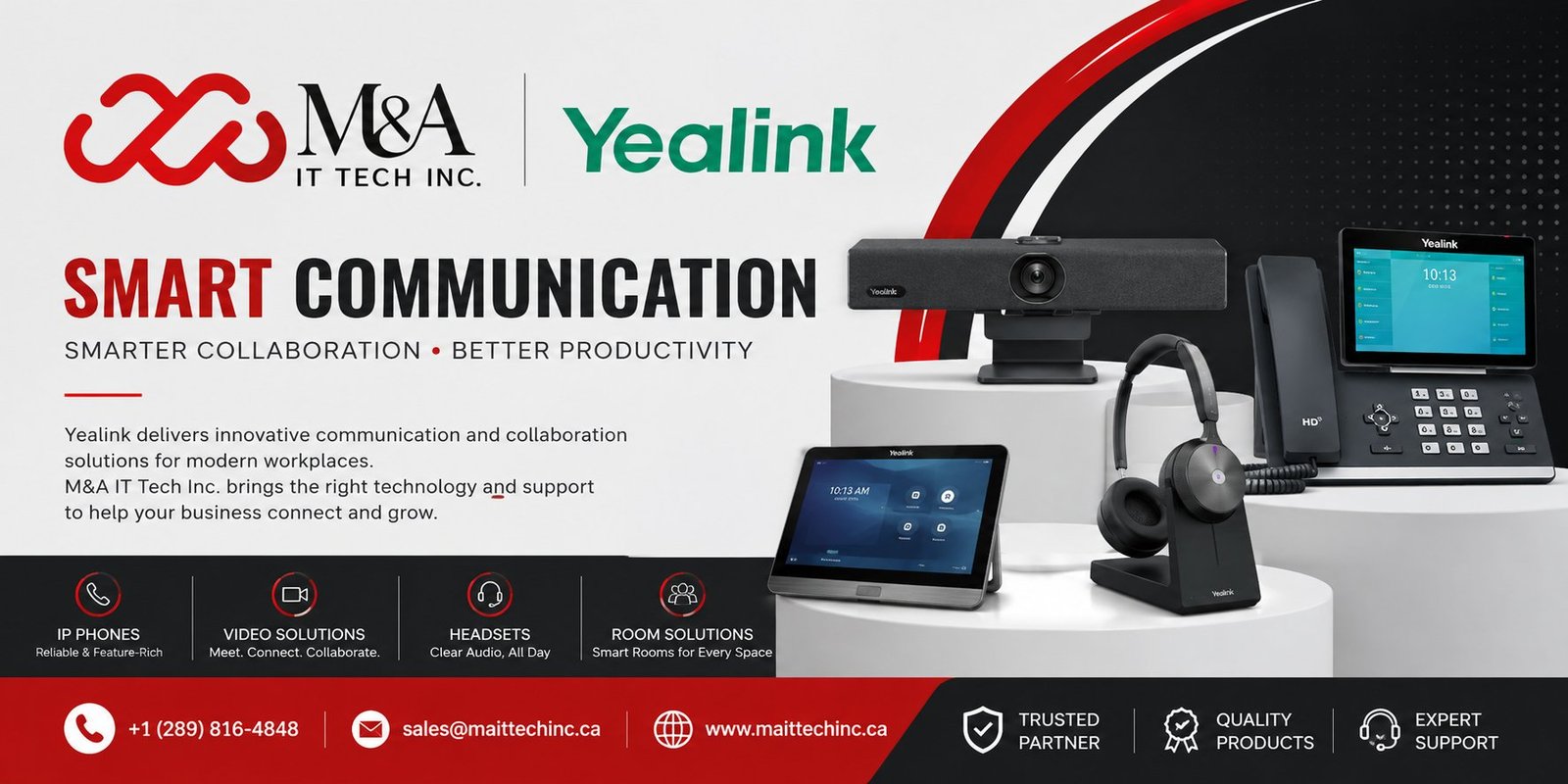
Modern organizations need more than a single communication device. Employees work from desks, meeting rooms, home offices, huddle spaces, open areas, and executive rooms, and every environment has different communication requirements. Yealink brings these needs together with a broad portfolio covering IP phones, DECT and wireless devices, headsets, speakerphones, video conferencing, room systems, cameras, collaboration displays, intelligent room devices, accessories, and management platforms.

Yealink describes its portfolio around unified communication and collaboration, with solutions spanning video conferencing, voice communications, and collaboration. Its current product structure includes video conferencing devices, headsets, IP phones, USB cameras, video conferencing platforms, smart workspace devices, management platforms, and Microsoft/Zoom devices.

The Modern Workplace Needs More Than a Phone

Communication has changed dramatically. A business may need a reliable desk phone for everyday calls, wireless DECT coverage for mobile workers, a professional headset for customer service, a speakerphone for small meetings, and a complete room system for larger collaboration spaces.

The challenge is making these technologies work as one communication environment. Yealink’s product portfolio is designed to cover different users, room sizes, workflows, and collaboration platforms rather than forcing every workspace into the same setup.

A Complete Yealink Portfolio for Every Workspace

1. Yealink IP Phones

Yealink’s IP phone portfolio ranges from cost-effective entry-level phones to advanced business and executive models. Current families include the T3, T4, T5, T7, and T8 series, alongside conference phones, Wi-Fi models, 4G business phones, and phone accessories.

  • T3 Series – cost-effective and entry-level business IP phones
  • T4 Series – well-rounded and feature-rich office phones
  • T5 Series – advanced business and executive phones, including smart/video models
  • T7 Series – multifunctional business phones for managers and professionals
  • T8 Series – premium business phones for executives and professionals
  • Conference phones such as CP925, CP935W and CP965


The range makes it possible to match a phone to the user’s role, budget, connectivity requirements, and calling environment.

2. Yealink DECT and Wireless Phones

For workplaces where employees need to move around while remaining connected, Yealink offers DECT solutions and wireless handsets. Products such as the W56H, W57R, W59R Pro, W70B, W73H, W73P, W76P, W77P, W78H, W78P, W80B, W90B and related devices support flexible wireless deployments.

These solutions are useful for warehouses, retail environments, healthcare, hospitality, offices, and other workplaces where mobility is important.

3. Yealink Headsets

Yealink’s headset portfolio includes Bluetooth wireless headsets, DECT wireless headsets, wired headsets, speakerphones, and headset accessories. Current Bluetooth families include BH70, BH71, BH74, BH76 Plus, while DECT and wired ranges provide additional choices for professional users.

  • Bluetooth wireless headsets for flexible desk and mobile work
  • DECT wireless headsets for extended workplace mobility
  • USB and wired headsets for reliable computer-based communication
  • Speakerphones for personal and small-group meetings
  • Charging stands, ear cushions, cables, adapters and other headset accessories

4.Yealink Speakerphones and Conference Phones

For users who need hands-free communication without a traditional conference-room system, Yealink offers speakerphones and dedicated conference phones. Products such as the CP700 and CP900 families support personal and small-group collaboration, while CP925, CP935W and CP965 address dedicated conference-room needs.

5. Yealink Video Conferencing Devices

Yealink’s video portfolio covers individual users through large professional meeting spaces. The current range includes MeetingBar devices, MeetingBoard products, MeetingEye solutions, USB cameras and complete room systems.

MeetingBar products provide an all-in-one approach for rooms that need integrated video and audio. For example, the uploaded MeetingBar A10 flyer describes an 8MP 4K camera, 120° field of view, 8-MEMS microphone array, intelligent framing, speaker tracking, wireless device mode, and remote management.

6. Yealink MeetingBar and Room Solutions

Yealink’s MeetingBar family is designed around different room sizes and collaboration requirements. Current offerings include MeetingBar A25, A50 and other MeetingBar solutions, while the broader room portfolio includes MVC systems and other Microsoft Teams and Zoom room devices.

These solutions can combine cameras, microphones, speakers, computing, touch control and room accessories into a coordinated meeting environment.

7. Microsoft Teams and Zoom Devices

Yealink provides dedicated Microsoft Teams and Zoom device solutions, including Teams Rooms systems, Zoom Rooms systems, USB/BYOD kits, room audio devices, space IoT devices, room-system accessories, Teams Phones and Zoom Phones.

This portfolio allows organizations to choose equipment around the collaboration platform already used by their teams.

8. Yealink USB Cameras and BYOD Solutions

USB cameras and BYOD devices help organizations connect existing computers and displays with professional collaboration hardware. These solutions are especially useful when teams need flexibility between native room experiences and laptop-based meetings.

9. Yealink Collaboration Displays

Yealink’s collaboration display portfolio includes products such as DeskVision and MeetingBoard solutions. These products bring display, collaboration, and meeting capabilities into workspaces where teams need more than a conventional monitor.

10. Intelligent Room and Smart Workspace Devices

Modern meeting rooms also require scheduling, sensing, presentation and control. Yealink’s smart workspace portfolio includes RoomPanel, RoomPanel Plus, RoomCast, RoomSensor and related room accessories.

  • RoomPanel and RoomPanel Plus for intelligent room scheduling
  • RoomCast for wireless presentation
  • RoomSensor and RoomSensor Pro for room sensing
  • Room accessories and mounting solutions for complete deployments

11. Yealink Management Platforms

Large deployments need centralized administration. Yealink provides management platforms designed to help organizations monitor, manage and maintain communication and collaboration devices.

The uploaded MeetingBar A10 material specifically highlights Yealink Management Cloud Service (YMCS), which allows administrators to monitor, control, and upgrade meeting-room devices remotely and manage batches of devices over the air.

12. Yealink Accessories

A complete communication deployment often depends on the right accessories. Yealink’s accessory portfolio includes expansion modules, wireless adapters, headset adapters, microphones, cables, power accessories, mounts, presentation devices, and other installation components.

  • EXP43, EXP50 and EXP55 expansion modules
  • EHS headset adapters
  • WF40 and WF50 Wi-Fi adapters
  • Bluetooth USB adapters
  • DECT USB dongles and repeaters
  • Expansion microphones
  • PoE adapters
  • Mounts, cables, stands and other room accessories

Designed for Different Room Sizes

Yealink’s Microsoft and Zoom device portfolio is organized around room requirements, including small rooms, medium rooms, large rooms and open spaces. This approach makes it easier to build a solution based on the actual environment instead of choosing equipment solely by product category.

  • Personal and home-office workspaces
  • Huddle and focus rooms
  • Small meeting rooms
  • Medium conference rooms
  • Large meeting rooms and boardrooms
  • Open spaces and specialized environments

Why Choose a Unified Yealink Ecosystem?

  • Broad portfolio across voice, video, headsets and collaboration
  • Solutions for users and meeting rooms of different sizes
  • Microsoft Teams and Zoom device options
  • Wireless, wired, USB and IP connectivity choices
  • Room scheduling and smart workspace capabilities
  • Centralized management options for larger deployments
  • Accessories that help complete end-to-end installations

10 Practical Ways to Build a Better Communication Environment

  • Start by identifying the user’s role and workspace rather than choosing a device first.
  • Select an IP phone that matches the user’s calling and productivity requirements.
  • Use DECT or wireless devices when employees need mobility.
  • Choose a headset based on the user’s work style, connectivity and mobility needs.
  • Use speakerphones for personal and small-group collaboration.
  • Match video conferencing equipment to the room size and number of participants.
  • Choose Microsoft Teams or Zoom devices according to the organization’s collaboration platform.
  • Add room scheduling, presentation and sensing devices where they improve room utilization.
  • Use the appropriate mounts, cables, adapters and microphones to complete each installation.
  • Use centralized management for larger deployments to simplify monitoring and maintenance.

Shop These Yealink Products

Looking to upgrade your business communication and collaboration environment? M&A IT Tech Inc. offers a range of professional communication solutions designed to support modern offices, meeting rooms, and hybrid work environments.

A25-BYOM is a Yealink Meeting Bar solution designed for BYOD and modern video collaboration, making it a suitable option for businesses looking to enhance their meeting-room experience.

BH74 TEAMS USB-C/A is a Yealink professional headset designed for Microsoft Teams users, providing a flexible audio solution for business communication and hybrid work.

SIP-T44W is a Yealink professional business IP phone designed for modern office communication, offering reliable voice calling along with wireless connectivity features for greater flexibility in the workplace.

Frequently Asked Questions

1. What products does Yealink make?

Yealink’s portfolio includes IP phones, DECT phones, headsets, speakerphones, conference phones, video conferencing devices, room systems, collaboration displays, smart workspace devices, accessories, and management platforms.

2. Does Yealink support Microsoft Teams and Zoom?

Yes. Yealink’s current portfolio includes dedicated Microsoft Teams and Zoom devices and room solutions.

3. Which Yealink products are suitable for small meeting rooms?

MeetingBar products, small-room video devices, USB/BYOD solutions, room audio devices and selected conference phones can be used depending on the meeting scenario.

4. Does Yealink offer wireless communication products?

Yes. The portfolio includes DECT phones, DECT wireless headsets, Bluetooth headsets and wireless presentation solutions.

5. Does Yealink offer products for large meeting rooms?

Yes. Yealink offers room systems and video conferencing solutions designed for medium, large and extra-large meeting environments.

6. Can Yealink devices be centrally managed?

Yes. Yealink provides management solutions, and the MeetingBar A10 material specifically highlights YMCS for remote monitoring, control and upgrades.

7. Does Yealink offer accessories?

Yes. Accessories include expansion modules, headset adapters, wireless adapters, microphones, mounts, cables, power and other installation components.

Ready to Upgrade Your Business Communication?

Don’t wait for outdated communication tools to slow down your business. M&A IT Tech Inc. is a trusted IT solutions provider, helping businesses across Canada choose the right mix of Yealink IP phones, headsets, video conferencing systems, meeting-room solutions, and collaboration devices for their environment.

📞 Call us at +1 (289) 816-4848

📧 Email sales@maittechinc.ca

🌐 Explore our full range of network, communication, and IT solutions at maittechinc.ca

Get a free consultation and find out which Yealink solution—from business IP phones and professional headsets to Meeting Bars, room systems, and collaboration devices—is the right fit for your organization.

Share:

More Posts

Zebra Print DNA™: Your Printers’ Built-in Advantage

Zebra Print DNA™: Your Printers’ Built-in Advantage In today’s fast-paced business environment, efficiency and reliability aren’t just goals—they’re necessities. Every component of your operations needs to perform flawlessly, and your

Send Us A Message